Editorial review · official-source verified
Fillout review
Fillout is the best database-connected form builder. It is especially strong when a form must read from or write to Airtable, Notion, Google Sheets, Supabase or another operational data source.
Operations, product and internal-tool teams that treat the form as a controlled interface to an existing database.
Fillout pairs a capable free plan with deep data connections, logic, calculations, scheduling, PDFs and native multi-step workflows. Workflows can add delays, filters, branches and custom email actions. The product still needs a dedicated CRM when contacts must be managed across a sales lifecycle.
$15/mo
Free plan: Yes
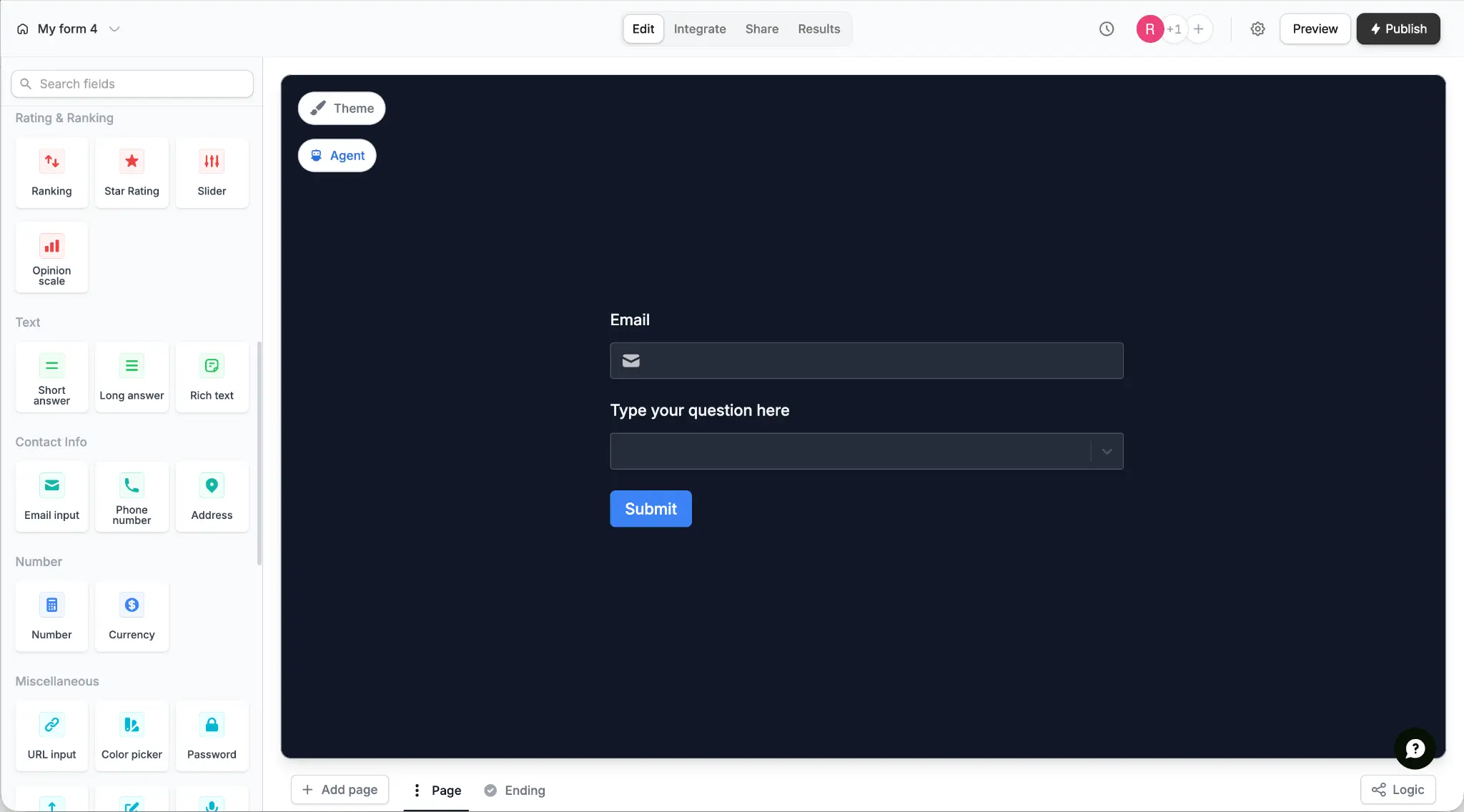
What Fillout is designed to do
Fillout pairs a capable free plan with deep data connections, logic, calculations, scheduling, PDFs and native multi-step workflows. Workflows can add delays, filters, branches and custom email actions. The product still needs a dedicated CRM when contacts must be managed across a sales lifecycle.
Connects forms directly to Airtable, Notion, Google Sheets and Supabase, with strong logic, calculations and unlimited seats. The practical buying question is whether that operating model removes a meaningful handoff in your workflow.
Capability assessment
| Area | What is included | Assessment |
|---|---|---|
| Database connections | Native read and write workflows for Airtable, Notion, Sheets, Supabase and more | The strongest reason to choose Fillout |
| Free plan | 1,000 monthly responses, unlimited forms and unlimited seats | Very competitive for teams |
| Form logic | Multi-page forms, conditions, calculations, scoring and prefill | Capable enough for both intake and internal operations |
| Workflows | Multi-step actions with delays, filters, branches and email steps | A capable native workflow layer, while custom emails require Pro |
| AI | Prompt, question-list, existing-form and PDF generation | Focused on first-draft generation rather than a documented conversational editor |
| Team model | Unlimited seats on published plans | A material advantage for collaborative operations teams |
Fillout pricing and plan advice
Starter costs $15 per month on annual billing. Custom emails and branding removal require Pro. The free plan includes 1,000 responses per month, unlimited forms and unlimited seats.
01 The free plan includes 1,000 responses per month, unlimited forms and unlimited seats.
02 Starter costs $15 per month on annual billing and raises the response allowance to 2,000 per month.
03 Pro costs $40 per month on annual billing and is the first tier with custom emails, branding removal, custom fonts and custom CSS.
04 Business costs $75 per month on annual billing and adds unlimited responses, a custom domain, partial submissions and advanced analytics.
Who should choose Fillout
Strong fit
- Airtable, Notion, Google Sheets or Supabase is already the system of record.
- The form must update existing records, not only create new submissions.
- Unlimited collaborator seats materially affect cost.
- Scheduling, PDFs, payments or signatures should sit beside the form builder.
Choose something else
- A built-in contact CRM is mandatory.
- You need a native contact CRM with reusable segments and a full sales lifecycle.
- The team does not want to think in records, data sources or integrations.
Pros
- Strong two-way data connections
- Unlimited seats
- Capable free plan
- Logic and scoring included
Cons
- Database concepts add setup depth
- Custom emails start on Pro
- No built-in contact CRM
Best Fillout alternatives
Tally: Best free form builder
Choose Tally when unlimited free submissions and a simpler document-style editor matter more than database depth.
Read the Tally reviewinvolve.me: Best for Lead Generation and Marketing
Choose involve.me when qualification and personalized email follow-up should be managed together, rather than around an external database.
Read the involve.me reviewTypeform: Best for conversational forms
Choose Typeform when conversational presentation and a polished respondent experience outweigh database connectivity.
Read the Typeform reviewSources and verification
Product capabilities and pricing were checked against first-party pages. The G2 link is included as a separate user-review signal and is not presented as a site-issued score.
Sources checked
- Official pricing and feature matrix
- Fillout Workflows
- Workflow filters and branches
- AI form builder
- G2 rating and reviews
Checked August 24, 2026. Plan packaging and ratings can change, so confirm the final tier before purchase.