Editorial review · official-source verified
Jotform review
Jotform is the breadth winner. It is the safest shortlist choice when a buyer needs forms plus adjacent tools such as approvals, PDFs, signatures, payments, tables, apps or offline mobile collection.
Teams that value a very wide feature and template surface, especially when several operational form use cases must live in one account.
Jotform's strength is not one narrow workflow. It is the number of form-adjacent jobs the platform can cover. Its Workflows layer can branch on form answers, pause, and send multiple emails. The tradeoff is a denser product, plan limits that need careful checking and no native contact CRM for segment-based marketing nurture.
$34/mo
Free plan: Yes
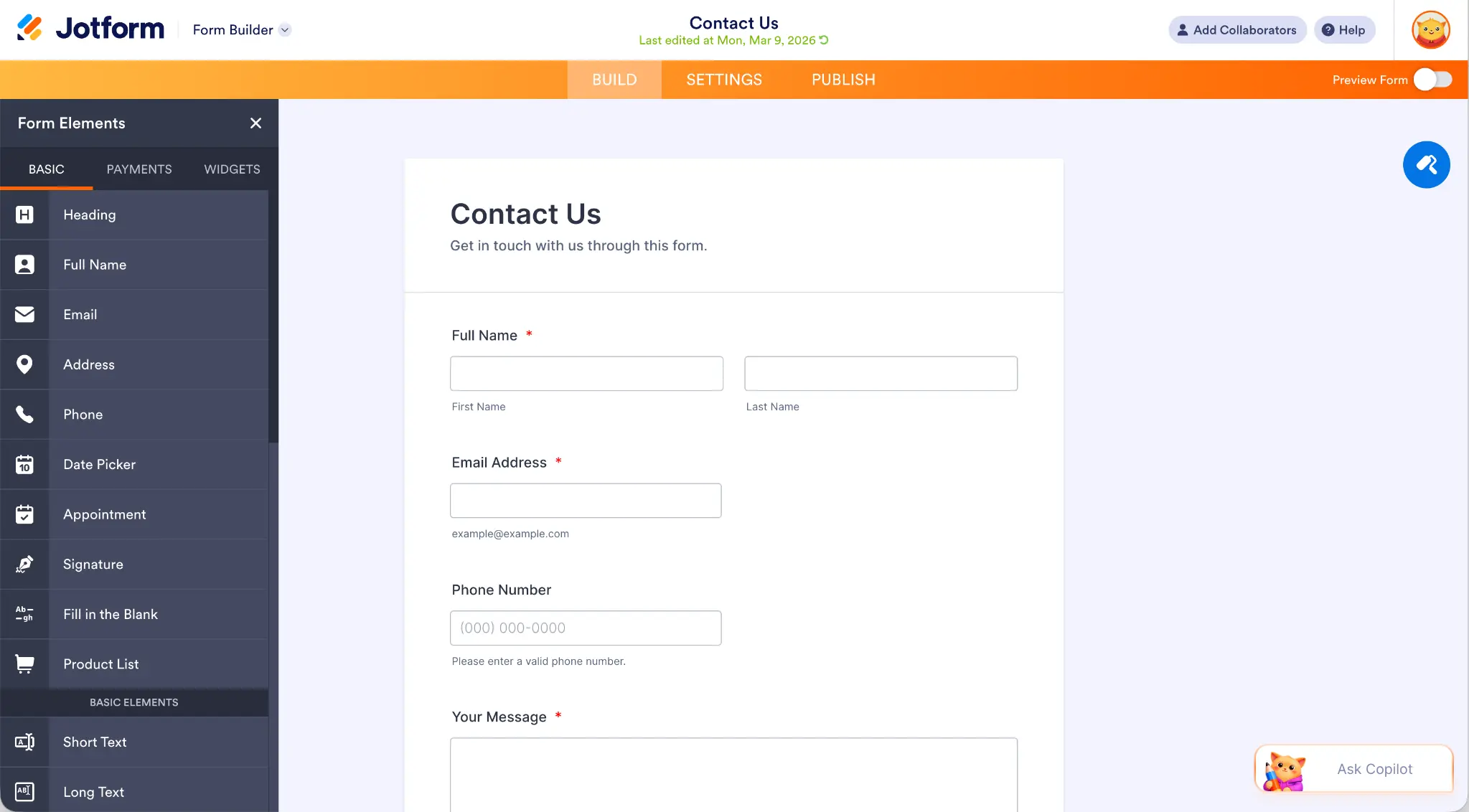
What Jotform is designed to do
Jotform's strength is not one narrow workflow. It is the number of form-adjacent jobs the platform can cover. Its Workflows layer can branch on form answers, pause, and send multiple emails. The tradeoff is a denser product, plan limits that need careful checking and no native contact CRM for segment-based marketing nurture.
A broad form platform with a large template surface, payments, approvals, PDFs, signatures, mobile capture and conditional multi-step workflows. The practical buying question is whether that operating model removes a meaningful handoff in your workflow.
Capability assessment
| Area | What is included | Assessment |
|---|---|---|
| Form experience | Large template, widget and field library | Excellent breadth, but the editor can feel busy |
| Operations | Approvals, PDF generation, signatures, tables and apps | The broadest adjacent toolset in this ranking |
| Payments | Multiple payment integrations and order-form features | A strong option when payment collection is part of a larger workflow |
| Follow-up | Conditional Workflows with email steps, branches and delays | A genuine multi-step workflow engine, oriented more broadly than a contact-led marketing CRM |
| AI | Jotform AI creates and edits forms, logic, layouts and autoresponders | Now a genuine conversational editing layer, not only a one-shot generator |
| Mobile | Mobile Forms app with offline collection | A real advantage for field work |
Jotform pricing and plan advice
Bronze costs $34 per month on annual billing, with limits that rise by tier. The Starter plan is free, but form, submission, storage and payment limits apply.
01 Jotform Bronze costs $34 per month on annual billing.
02 The free Starter plan is useful for testing, but form, submission, storage and payment limits apply.
03 The important buying calculation is not only the headline price. Estimate monthly submissions, payment volume, storage and the number of live forms before choosing a tier.
04 Some advanced platform products and enterprise controls may be packaged separately from the core form plan.
Who should choose Jotform
Strong fit
- You need several form types and adjacent workflow tools under one vendor.
- PDFs, approvals, signatures or offline collection are central requirements.
- A large template library will materially reduce setup time.
- Your team is willing to trade interface simplicity for feature depth.
Choose something else
- A native contact CRM with reusable segments and contact-led nurture is the deciding requirement.
- You expect high submission volume on an entry-level plan.
- You want the cleanest possible focused interface.
Pros
- Huge template library
- Broad field and widget choice
- PDF and approval tools
- Offline mobile capture
Cons
- Lower plans have tight usage limits
- The interface can feel dense
- No built-in contact CRM
Best Jotform alternatives
involve.me: Best for Lead Generation and Marketing
Choose involve.me when the form should qualify website leads and start personalized follow-up, rather than manage broad approvals and operational processes.
Read the involve.me reviewTypeform: Best for conversational forms
Choose Typeform when the respondent experience and conversational presentation take priority over feature breadth.
Read the Typeform reviewCognito Forms: Best for payments and priced order forms
Choose Cognito Forms when conditional pricing, quantities, taxes and practical order forms matter most.
Sources and verification
Product capabilities and pricing were checked against first-party pages. The G2 link is included as a separate user-review signal and is not presented as a site-issued score.
Sources checked
- Official pricing
- Jotform AI announcement
- Jotform Workflows guide
- Conditional branches in Workflows
- G2 rating and reviews
Checked August 24, 2026. Plan packaging and ratings can change, so confirm the final tier before purchase.