Editorial review · official-source verified
Google Forms review
Google Forms is the best option for a quick, simple question list when the team already works in Google Workspace and needs no payments, advanced design, CRM or native follow-up sequence.
Schools, internal teams, event organizers and anyone who values immediate familiarity over customization and workflow depth.
Google Forms wins on speed and accessibility. It loses as soon as the form needs to look like a branded campaign, calculate a complex recommendation, collect payments or manage the respondent after submission.
$7/user/mo
Free plan: Yes
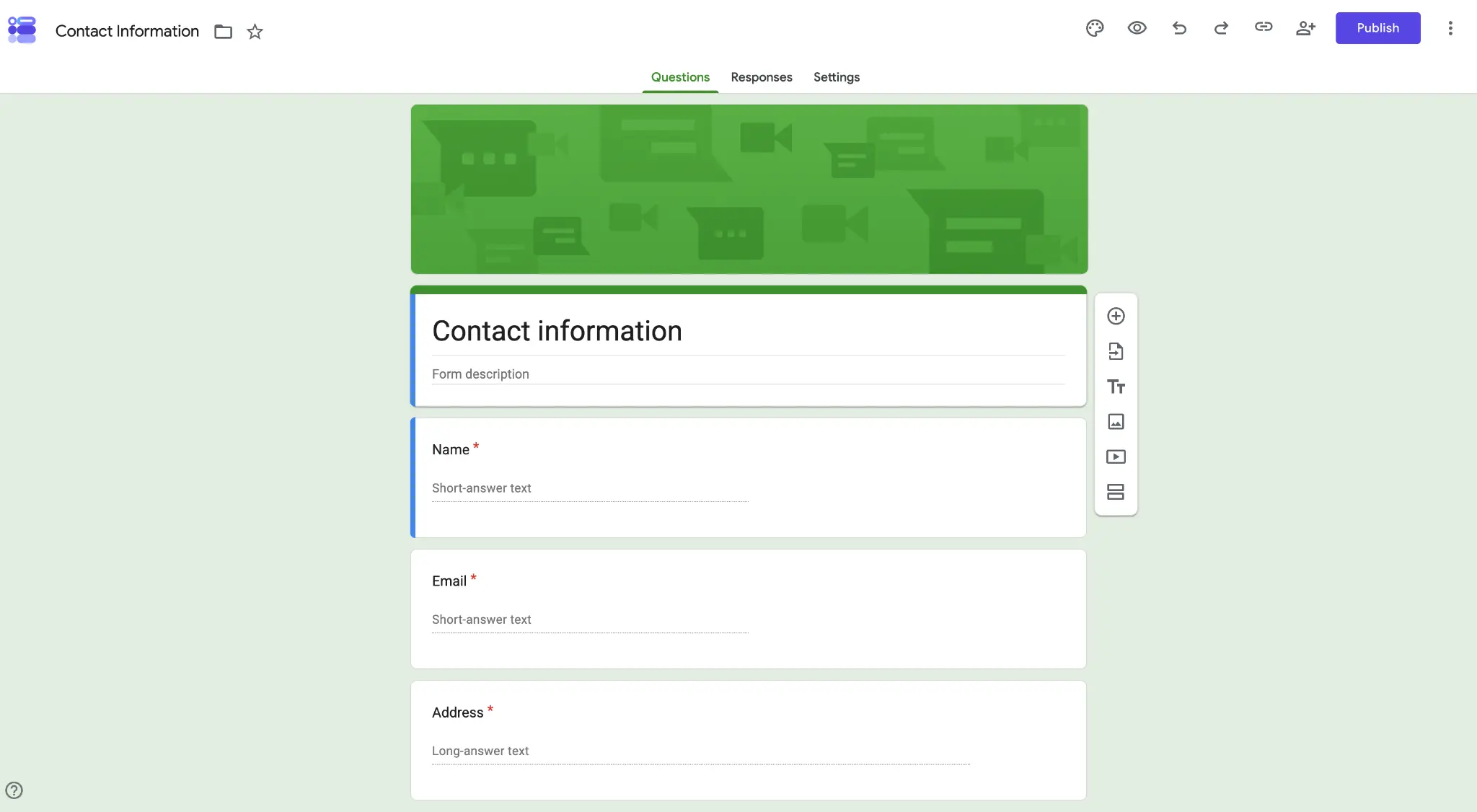
What Google Forms is designed to do
Google Forms wins on speed and accessibility. It loses as soon as the form needs to look like a branded campaign, calculate a complex recommendation, collect payments or manage the respondent after submission.
The fastest route from a question list to a shareable form, with responses flowing naturally into Google Sheets. The practical buying question is whether that operating model removes a meaningful handoff in your workflow.
Capability assessment
| Area | What is included | Assessment |
|---|---|---|
| Form experience | Simple question types, sections, themes and sharing | The easiest builder in the ranking, but visually limited |
| Data | Response summaries and direct Google Sheets output | Excellent for lightweight analysis and familiar collaboration |
| Logic | Section-based branching | Enough for simple routing, not complex qualification |
| AI | Gemini response summaries on eligible Workspace plans | Useful after collection, not a full AI form-operating layer |
| Follow-up | Basic notifications and add-ons or Apps Script | No native multi-step email sequence |
| Business stack | Included with Google accounts and Workspace | Low switching cost for existing Google users |
Google Forms pricing and plan advice
Google Forms is free for personal use. Google Workspace Business Starter costs $7 per user per month with an annual commitment. Anyone with a Google account can create forms without a paid Workspace subscription.
01 Google Forms is free with a personal Google account.
02 Google Workspace Business Starter costs $7 per user per month with an annual commitment and includes the wider business suite.
03 The paid Workspace price should not be interpreted as a Forms-only subscription because email, storage, Meet and other products are bundled.
04 Add-ons and Apps Script can extend Forms, but each extension adds setup and maintenance that a native form platform may avoid.
Who should choose Google Forms
Strong fit
- The form is an internal survey, RSVP, quiz or registration.
- Responses should land in Google Sheets immediately.
- The team needs no training and no new vendor purchase.
- Design, payments and automated nurture are not requirements.
Choose something else
- The form is part of a branded acquisition campaign.
- You need payments, advanced calculations, scored outcomes or a contact CRM.
- You want native multi-step follow-up after submission.
Pros
- Free for personal use
- Very fast to learn
- Native Sheets connection
- Familiar collaboration model
Cons
- Limited visual design
- Basic branching only
- No native lead follow-up system
Best Google Forms alternatives
Tally: Best free form builder
Choose Tally for a far more capable free form builder with payments, logic, uploads, signatures and AI editing.
Read the Tally reviewFillout: Best for database-connected forms
Choose Fillout when Sheets is only one of several databases the form must read from or update.
Read the Fillout reviewinvolve.me: Best for Lead Generation and Marketing
Choose involve.me when a customer-facing response must become a qualified, segmented lead with personalized follow-up.
Read the involve.me reviewSources and verification
Product capabilities and pricing were checked against first-party pages. The G2 link is included as a separate user-review signal and is not presented as a site-issued score.
Sources checked
- Google Forms product overview
- Google Workspace pricing
- Gemini response summaries announcement
- G2 comparison data
Checked August 24, 2026. Plan packaging and ratings can change, so confirm the final tier before purchase.